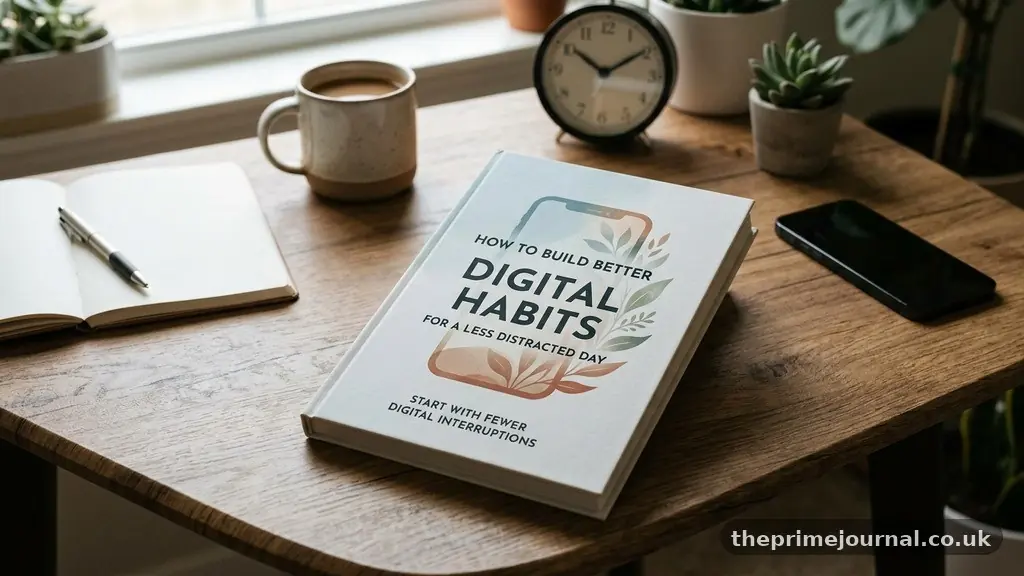
Building Better Digital Habits for a Less Distracted Day starts with changing the cues that pull your attention away, not with demanding perfect self-control. A calmer digital routine usually comes from a few practical decisions: fewer alerts, clearer work boundaries, intentional phone placement, and planned periods for messages and entertainment.
The aim isn’t to reject technology or become unreachable. It’s to make your devices serve the day you want, so focused work, rest, conversations, and creative thinking receive more of your attention. Small changes can make a noticeable difference because they reduce the number of times you must resist the same distraction.
Start With Fewer Digital Interruptions
The fastest way to improve focus is to stop treating every notification as urgent. Most alerts interrupt a thought before you have decided whether the message deserves your attention, creating a pattern of reaction instead of choice.
Begin with notification management on your phone, computer, and tablet. Keep alerts for calls from important contacts, calendar changes, direct messages that genuinely need a quick response, and services connected to safety or work responsibilities.
Turn off notifications for social media likes, breaking news, shopping offers, casual games, promotional emails, and apps that use alerts mainly to bring you back. If an app has nothing important to say, it doesn’t need a place in your attention.
Use scheduled summaries where your device supports them. A summary can group low-priority alerts into one review period instead of allowing ten separate interruptions to scatter your morning.
- Keep urgent communication channels available for defined contacts.
- Silence promotional, social, and entertainment alerts.
- Set specific times to check email and messaging apps.
- Use a focus mode during meetings, meals, reading, and focused work periods.
- Place distracting apps outside the first screen of your phone.
Physical distance helps too. A phone placed across the room is less likely to become an automatic checking device than one resting beside your keyboard.
These changes matter because they remove repeated decisions. Instead of asking yourself every few minutes whether to ignore an alert, you create a quieter default and choose when communication enters your day.
Audit Your Attention Before Changing It
Digital habits are easier to change when you can see their patterns. For three ordinary days, record when you reach for a device, what you intended to do, what actually happened, and how you felt afterward.
This doesn’t need to become a complicated spreadsheet. A note with entries such as “opened email to find an attachment, read news for 12 minutes” can reveal where context switching is costing you time.
Check your device’s screen-time report, but treat it as evidence rather than a judgment. Screen-time awareness is useful when it shows that social media usually appears during difficult tasks, while a large total alone doesn’t tell you whether the time was helpful or harmful.
Look for triggers rather than blaming particular apps. You may discover that you check your phone when a task is unclear, after receiving a difficult email, while waiting for a file to load, or whenever a meeting ends without a next step.
Write down the three digital behaviours that most interfere with the day. They might include opening messages before breakfast, switching between work documents and chat, or watching short videos late at night.
Next, define a replacement behaviour for each one. If uncertainty sends you to your phone, write the next physical action for the task; if boredom triggers social media, keep a book or a short offline activity nearby.
The useful question is not “How do I use my phone less?” A better question is “Which digital behaviour is taking attention from something I value, and what will I do instead?”
That distinction keeps the process practical. You may use a laptop for six productive hours and still need to change one habit of opening unrelated tabs, while someone else may spend less total time online but lose their evenings to unplanned scrolling.
Design Your Devices to Support Focus
Digital minimalism doesn’t require deleting every app or refusing useful technology. It means giving each tool a clear purpose and removing tools that repeatedly produce more distraction than value.
Start with the home screen. Keep only essential tools visible, such as a calendar, maps, notes, camera, or transit app, and move recreational apps into a folder with a neutral name rather than a bright, attention-seeking position.
Disable badges wherever possible. A red number on an email or social app creates a small open loop, even when the message has no deadline.
Friction design is especially effective because it makes unwanted actions slightly harder. Log out of shopping sites, remove saved payment details from impulse-purchase apps, delete social apps from your phone while keeping browser access, or use a longer password for an app you open compulsively.
The opposite principle can make good habits easier. Put your task list, reading app, language practice tool, or meditation timer where you can reach it in one tap.
Use separate browser profiles for work and personal activity. A work profile without entertainment bookmarks reduces accidental detours, while a personal profile prevents every leisure search from appearing beside professional tabs.
For people who work at a computer, a simple rule can help: one screen for the active task and one approved reference source. Ten open tabs may feel productive, but they make it easy to follow a new question before finishing the original one.
Consider using website blockers during planned focus periods, particularly if you know that willpower disappears once a demanding task becomes uncomfortable. The tool isn’t a punishment; it is a temporary boundary that protects a decision you already made.
These choices reflect the Core Digital Habit Concepts of visibility, access, timing, and consequence. Make valuable actions obvious, make distractions less convenient, and decide in advance when each category belongs in your day.
Use Time Blocking and Single-Tasking
Time blocking turns vague intentions into protected appointments. Instead of writing “work on report,” reserve a defined period for outlining, research, drafting, or editing, because a specific action is easier to begin than a broad ambition.
Start with one or two focused work periods rather than filling every minute. A 45-minute block for a proposal followed by a 15-minute message check may work better than a schedule that expects uninterrupted concentration from morning until evening.
During a block, practise single-tasking. Close unrelated tabs, silence nonessential alerts, and keep a capture note nearby for ideas that arise but don’t belong to the active task.
That capture note prevents a useful thought from becoming a detour. You can write “compare insurance options” and return to the presentation instead of opening a search engine immediately.
Deep work often depends less on heroic concentration than on clear starting conditions. Before ending one session, leave the document open at the next logical step and write a short prompt such as “draft the second example using the customer survey.”
Use realistic transitions. A five-minute gap between a video meeting and concentrated writing may not be enough to answer messages, refill water, and reset your attention, so schedule a small buffer when possible.
| Digital activity | Suggested boundary | Reason it helps |
|---|---|---|
| Two to four planned checks | Prevents the inbox from dictating the entire day | |
| Team messaging | Active during agreed availability windows | Preserves response time without constant monitoring |
| Focused work | 30 to 90 minute blocks | Creates enough continuity for complex thinking |
| News and social platforms | One or two intentional periods | Contains open-ended browsing |
The exact schedule should fit your responsibilities. A parent, clinician, customer-support worker, or manager may need more availability than someone completing independent research, but nearly everyone can define moments when uninterrupted attention is appropriate.
Replace Automatic Checking With Intentional Choices
Many people don’t pick up a phone because they have a meaningful purpose. They do it during a pause, a difficult sentence, a lift ride, or a moment of mild discomfort.
Notice the moment before the action. Ask, “What am I checking for?” If you don’t have an answer, take one breath and choose whether the device actually belongs in the next minute.
Keep a short list of low-effort alternatives for natural waiting moments. A paper book, stretching, a handwritten note, a puzzle, or simply looking out of the window can give your mind recovery without feeding another stream of information.
Make meals device-free when circumstances allow. Food tastes different when attention isn’t divided, and conversation becomes easier when people aren’t competing with incoming alerts.
Protect the first and last part of the day. A morning spent responding to messages can place your mind in other people’s priorities before you have chosen your own, while late-night scrolling can keep the brain alert after the day should be winding down.
Try charging the phone outside the bedroom or at least beyond arm’s reach. Use a separate alarm clock if checking the time reliably turns into checking messages.
Entertainment still has a place. The difference is between choosing an hour of a film, a game, or a social platform and entering an endless feed without deciding how long you want to stay.
Set a stopping cue before starting open-ended content. You might choose one episode, use a timer, stop when a programme ends, or leave the phone in another room during a planned activity.
Attention management works best when it includes genuine rest. A quiet walk and a joyful conversation can restore attention more effectively than filling every break with rapid, unrelated content.
Build Habits That Can Survive Busy Days
A digital routine should work on an ordinary Tuesday, not only during a highly motivated weekend. Choose a small number of actions that remain possible when work runs late, travel changes, or family needs interrupt your plan.
Habit stacking connects a new digital behaviour to an action that already happens. After making coffee, you might review the day’s calendar without opening social media; after shutting down work, you might put the phone on charge and write tomorrow’s first task.
Implementation intentions add a clear response to a predictable trigger. The format is simple: “If this happens, then I will do that.” For example, “If I reach for social media during a writing block, I will add the urge to my capture note and write one more sentence first.”
Keep the replacement action specific. “Be more disciplined” offers no instruction, while “put the phone in the hallway during the 9 a.m. writing block” gives you something observable to do.
Use a weekly reset to review what worked. Check which alerts returned, which blocks were unrealistic, and which apps consumed more attention than expected.
Change one variable at a time when possible. If you simultaneously delete every social app, adopt a strict morning routine, schedule five hours of deep work, and stop using screens after dinner, you won’t know which change helped or which rule became impossible.
Expect lapses without turning them into a verdict. One distracted afternoon is information about a trigger, not proof that the entire system has failed.
Keep visible evidence of progress. A simple calendar mark for each device-free meal or completed focus block can show improvement more honestly than an all-or-nothing promise.
For a practical reference on sleep, device use, and evening routines, the Sleep Foundation’s sleep hygiene recommendations offer advice from a reputable health-focused organisation. Digital habits deserve attention partly because they affect recovery, not only because they affect productivity.
Create Boundaries With Other People
Digital habits are social habits as well. If colleagues expect an instant reply, or friends interpret delayed responses as rejection, personal changes may feel difficult even when you understand what you need.
Set expectations in plain language. A status message such as “I check team messages at 10 a.m., 1 p.m., and 4 p.m.; call if something is urgent” gives people a workable alternative to repeated pings.
Discuss response times with a manager or team rather than silently disappearing. Some roles require rapid communication, but even those roles may support protected periods for reports, planning, training, or customer preparation.
Use separate channels for urgency and routine. A phone call can signal a true emergency, while email or project software handles information that can wait.
At home, agree on device-free moments instead of issuing vague rules. “No phones during dinner” is easier to understand than “stop being on your devices so much,” particularly when adults model the same behaviour they want children to adopt.
Keep a shared charging area if several people want fewer bedroom devices. It turns a private intention into a household design choice and removes the temptation to keep checking from under the covers.
Boundaries also protect availability for the right people. When work messages stop entering your evening, you may become more present with family, more attentive to a friend, or more able to notice your own fatigue.
Some people will still send messages outside your preferred hours. You don’t need to control their behaviour; you only need to decide whether their timing controls your attention.
Measure Progress by Attention, Not Perfection
The strongest sign of better digital habits is not a particular screen-time number. It is the ability to choose what receives your attention and return to a meaningful task after an interruption.
Track outcomes that matter to you. You might record completed writing sessions, device-free meals, nights when the phone stayed outside the bedroom, or the number of times you finished a task before opening a recreational app.
Review quality as well as quantity. Thirty minutes of deliberate reading may be more valuable than two hours of half-attentive browsing, and a short focused work period may move an important project forward.
Notice emotional changes too. Fewer alerts may reduce the background feeling that something is always waiting, while planned message checks can make communication feel more manageable.
Don’t turn tracking into another source of pressure. If measuring every minute makes you anxious, use a weekly reflection with three questions: What distracted me?
What protected my attention? What one adjustment will I test next?
Revisit your system when your circumstances change. A new job, a child, a health issue, travel, or a different work schedule may require new notification rules and more flexible blocks.
The point of building Better Digital Habits for a Less Distracted Day is not to create a perfectly controlled life. It is to make your tools predictable enough that your priorities have a fair chance to guide your time.
Frequently Asked Questions
What is the first digital habit I should change?
Start with the interruption that happens most often and offers the least value, usually nonessential notifications or automatic social-media checking. Turn off the alert, move the app, and choose a specific time for checking it instead.
How can I focus when my job requires messaging apps?
Separate urgent communication from routine updates, then create visible availability windows. Keep the messaging app open when your role requires it, but mute channels that don’t need an immediate response and tell colleagues when you’ll review them.
Does digital minimalism mean deleting social media?
No. Digital minimalism asks whether a tool supports something you value and whether its costs are acceptable. You might keep a platform for maintaining relationships while removing its phone app, limiting access to a browser, or checking it only during planned periods.
How long should a focused work period be?
Choose a duration you can repeat, often between 30 and 90 minutes. Complex work may benefit from longer sessions, while beginners or people recovering from heavy distraction may make more progress with 20 or 30 minutes and a short break.
What should I do after breaking my own rules?
Identify the trigger and restart at the next reasonable moment instead of waiting for a new week. If the same lapse keeps happening, redesign the environment by adding friction, shortening the focus block, or creating a clearer replacement action.
Make Attention Easier to Choose
Building Better Digital Habits for a Less Distracted Day comes down to practical design: silence low-value alerts, plan communication, protect focused work periods, and place tempting devices farther away. Add habit stacking or an implementation intention so the better response is ready before distraction arrives.
Choose one change today, such as turning off social badges or charging your phone outside the bedroom, then observe what happens for a week. A calmer digital life grows through repeatable choices, not perfect abstinence, and your next small boundary can give important work and real rest more room.